Cloud Strategy

October 14, 2026

6 min read
.webp)
This article was originally published by Dzmitry Hutaryan on dev.to in December 2023 and is republished here with the author's permission.
I'd like to introduce a material timepicker component. If you use angular material you might know this popular issue. People are desperate for a time selection but not date only. I was one of them.
Unfortunately, a lot of existent libraries were out of date, had not the best UI or their functionality didn't suit for my project, had some bugs. I could choose from literally 2 libraries and none of them satisfied me completely.
Before we start let me tell you a few words. The timepicker is based on material design. You hardly recognise you're using a 3rd party library.
Install the library:
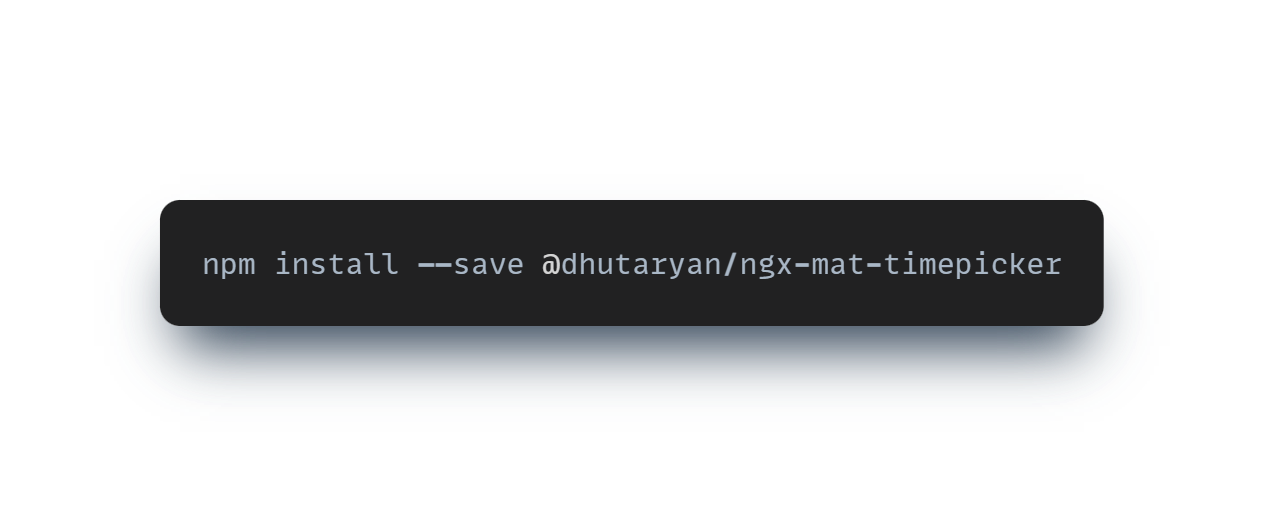
or
.png)
Unfortunately, all good names were busy 🫣
Import MatTimepickerModule and MatNativeDateTimeModule to your module.
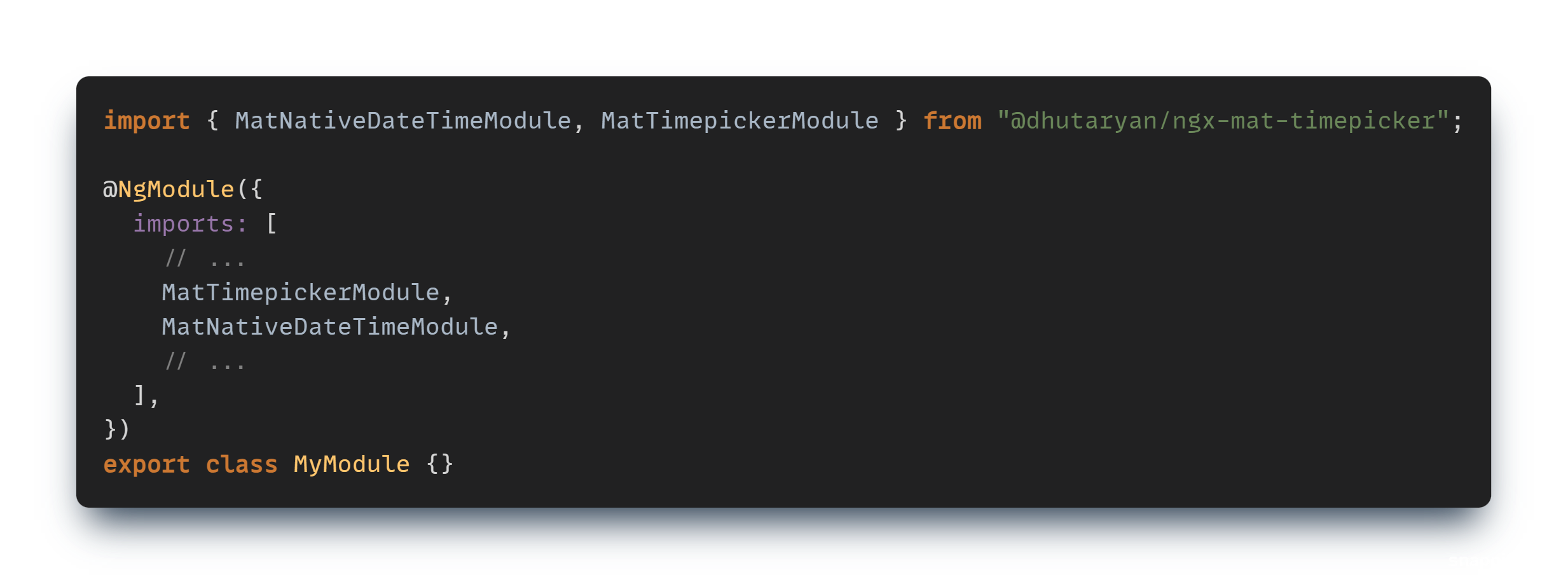
Default adapter uses native JS date. You can create your own adapter and use whatever you want.
Add necessary styles:
.png)
We've just set up our timepicker. It's time to use it:
.png)
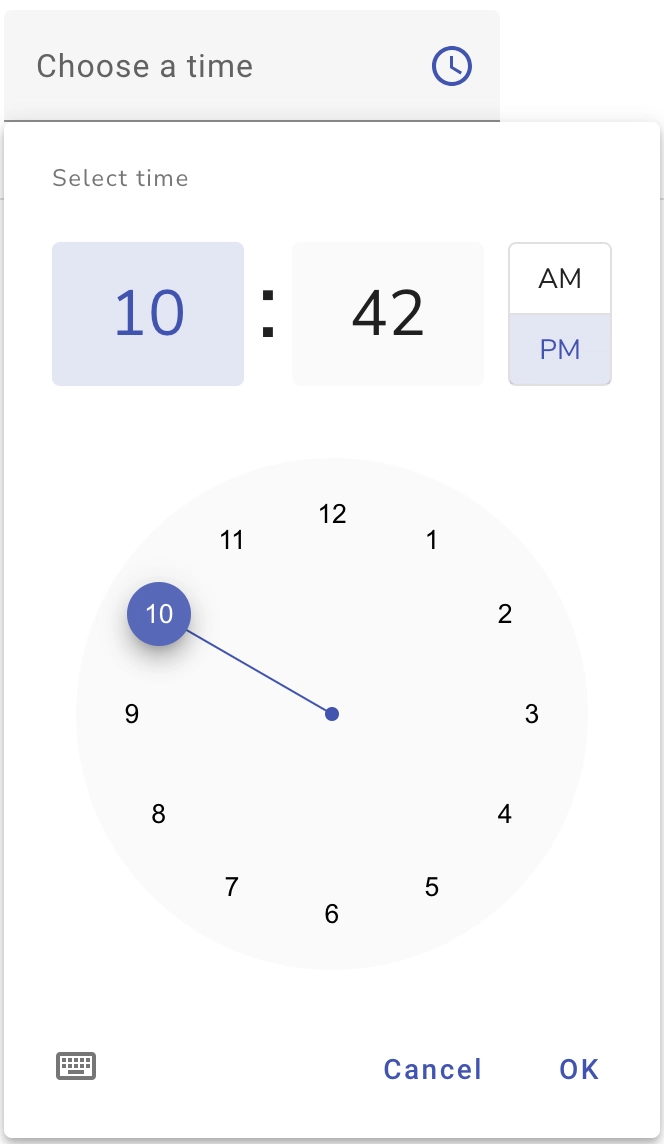
You can use another presentation mode if you like it more:
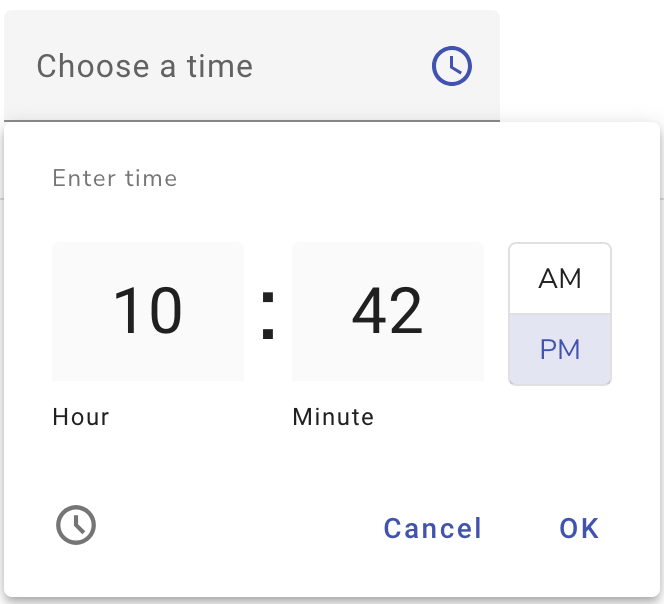
Looks like it's a part of angular material, isn't it?
You can find more usage examples on the documentation page.
Briefly about some features:
There are some things to implement. Some of them are related to the adapter. It would be nice to have ready to use adapter with moment and luxon. Make components as standalone and so on.



.svg)
.svg)
.svg)
.svg)


.svg)

.svg)
.svg)
.svg)
.svg)
.svg)
.webp)


.webp)


.webp)